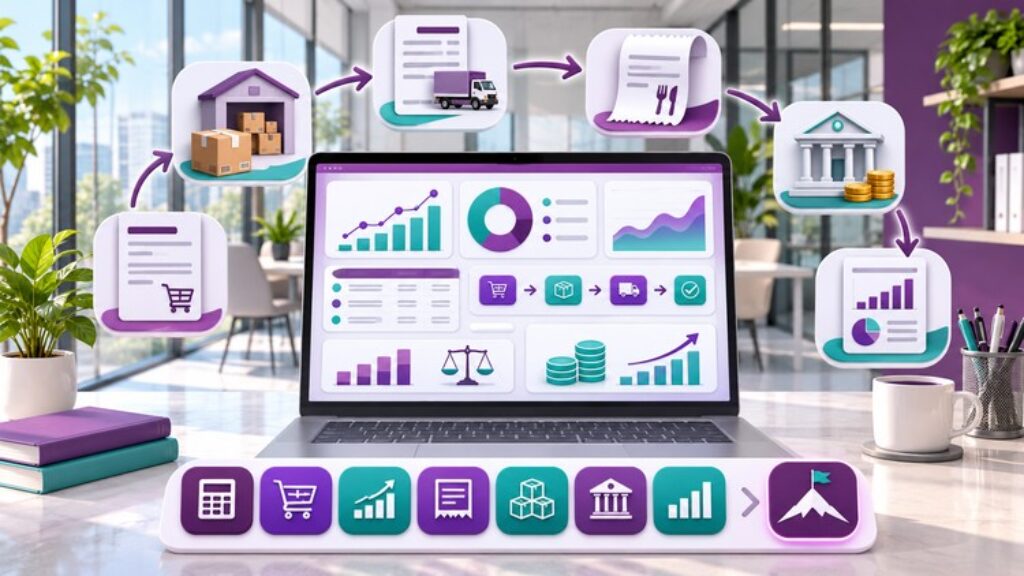
Master Odoo 20 Accounting and Business Operations
Master Odoo 20 Accounting and Business Operations through a structured learning journey that connects configuration, daily transactions, financial control, purchasing, sales, employee expenses, reporting, and an end-to-end practical business case.
This course explains how Odoo records business activity and how its applications work together. You will learn where each process begins, which settings influence it, how documents move through their stages, and how to verify their accounting and operational results.
You will also understand the relationships between source documents, inventory movements, journal entries, payments, bank reconciliation, and reports, allowing you to follow each transaction from its origin to its final result.
ACCOUNTING CONFIGURATION
Build a strong accounting foundation by exploring the settings and structures that support transactions, controls, and reporting.
• Review accounting settings, localization, tax defaults, currencies, invoice controls, payment processing, digitization, default accounts, and deferred entries.
• Evaluate payment providers and the methods available for collecting customer payments.
• Understand the Chart of Accounts, account codes, types, classifications, and financial-statement effects.
• Explore an industrial Chart of Accounts connecting inventory, production, assets, liabilities, income, costs, and operating expenses.
• Configure taxes, calculation rules, price treatment, tax groups, tax units, and fiscal positions.
• Review accounting journals, sequences, default accounts, payment methods, and transaction tracing.
• Interpret foreign currencies, dated exchange rates, converted balances, and exchange differences.
• Organize accounting views through Multi-Ledger configuration.
• Standardize accounting, audit, tax, and period-end reviews through Check Templates.
• Apply reusable depreciation rules through Depreciation Models.
• Configure Invoice Reminders for consistent collection follow-up.
• Compare planned income and expenses with posted results through Financial Budgets.
• Review online bank synchronization and the reconciliation work required afterward.
• Calculate invoice and bill due dates through Payment Terms and installment schedules.
• Record delivery responsibilities, costs, and risks through Incoterms.
• Assess Product Category defaults for income, expenses, valuation, inventory, and logistics.
• Review 1099 Boxes for applicable US vendor-payment reporting.
• Use Account Tags, Accounting Reports, and Horizontal Groups to create flexible financial views.
CUSTOMER ACCOUNTING
Follow the complete customer accounting cycle from invoicing through collection and reconciliation.
• Prepare and review customer invoices before posting them to the ledger.
• Verify customers, dates, products, quantities, prices, taxes, payment terms, and accounts.
• Understand how posting an invoice creates revenue, tax, and accounts-receivable entries.
• Create customer credit notes for returns, overcharges, and corrections.
• Apply customer credits while preserving the history of the original invoice.
• Record incoming customer payments and interpret their processing and reconciliation statuses.
• Group multiple receipts through Batch Payments for easier bank matching.
• Review customer contact information, commercial preferences, receivable accounts, and invoice communication settings.
VENDOR ACCOUNTING
Understand how supplier obligations are recorded, reviewed, paid, and reconciled.
• Review vendor bills, supplier references, dates, taxes, expense accounts, and payable entries.
• Distinguish posting a supplier obligation from settling the amount owed.
• Create vendor refunds for overcharges, returned goods, and incomplete services.
• Apply supplier credits against unpaid bills or record a separate refund payment.
• Register outgoing vendor payments and trace them through outstanding-payment accounts.
• Match supplier payments with the related bills and bank transactions.
• Organize existing supplier payments through Vendor Batch Payments.
• Review supplier contact details, purchasing preferences, payable accounts, tax settings, and payment information.
ACCOUNTING OPERATIONS AND PERIOD-END CONTROLS
Examine the accounting tools used to maintain accurate records and prepare periods for review and closing.
• Read journal entries and understand how debit and credit lines record a business event.
• Trace accounting entries back to invoices, bills, payments, credit notes, and manual adjustments.
• Use Automatic Transfers to reclassify eligible costs between accounts.
• Review Fixed Assets, depreciation settings, schedules, accounting accounts, and asset statuses.
• Build and interpret loan amortization schedules covering principal, interest, and liability reclassification.
• Reconcile open customer and vendor journal items.
• Review Tax Return periods, checks, validation steps, and submission readiness.
• Apply Lock Dates and Secure Entries to protect completed accounting periods.
ACCOUNTING REVIEW AND AUDIT SUPPORT
Investigate accounting records before relying on them for reporting and decision-making.
• Filter Journal Items and inspect the debit and credit lines behind account balances.
• Trace unusual figures to their source transactions.
• Use the Audit Trail to identify changed records, dates, users, and actions.
• Review activity by journal and account through Journal Audit.
• Organize audit checks, notes, documents, responsibilities, and review status through Working Files.
• Assemble financial statements and supporting explanations through Annual Reports.
• Examine Inventory Valuation and determine whether period-end accounting action is required.
FINANCIAL AND MANAGEMENT REPORTING
Turn recorded accounting activity into useful financial and management information.
• Use the Balance Sheet to review assets, liabilities, and equity.
• Use Profit and Loss to evaluate income, costs, expenses, and business performance.
• Review cash movements through the Cash Flow Statement.
• Examine fixed-asset activity through the Depreciation Schedule.
• Use the Trial Balance to verify debit and credit balances.
• Use the General Ledger to investigate the transactions behind each account.
• Review Partner Ledgers, customer statements, aged receivables, and aged payables.
• Analyze taxable activity and fiscal adjustments through Tax and Fiscal Reports.
• Explore invoice, cash flow, analytic, executive, and loan reports for management decisions.
PURCHASE OPERATIONS
Follow the purchasing process from configuration and supplier terms to orders, receipts, bills, and analysis.
• Configure purchasing rules, approvals, receiving policies, billing controls, and logistics.
• Create product attributes and variants for accurate purchasing and inventory tracking.
• Review Product Categories, costing, valuation, accounting, and warehouse defaults.
• Configure Units of Measure and Packagings to maintain accurate ordered and received quantities.
• Maintain Vendor Pricelists with supplier prices, minimum quantities, lead times, validity dates, and product references.
• Review goods, services, combos, supplier information, taxes, and inventory settings on product records.
• Create Purchase Agreements for recurring supplier terms.
• Prepare and evaluate Requests for Quotation before committing to a purchase.
• Confirm Purchase Orders and trace their linked receipts and vendor bills.
• Analyze ordered quantities, received quantities, costs, billing progress, and supplier delivery performance.
SALES OPERATIONS
Manage the customer sales journey from configuration and pricing to orders, delivery, invoicing, and performance analysis.
• Review Sales settings that influence quotations, confirmation, delivery, and invoicing.
• Organize Sales Teams, leadership, membership, ownership, and inquiry routing.
• Configure Delivery Methods, shipping charges, availability rules, and customer-facing options.
• Prepare and test Payment Providers and their supported customer payment methods.
• Create reusable Quotation Templates containing products, terms, and confirmation settings.
• Add branded PDF headers and footers to customer quotations.
• Prepare, review, send, and confirm Quotations.
• Follow confirmed Sales Orders into delivery and invoicing.
• Configure Pricelists using fixed prices, discounts, surcharges, quantities, currencies, customers, and validity periods.
• Analyze sales activity through Graph, Pivot, and List views.
• Compare salesperson performance using consistent measures and periods.
• Review product demand and the sales mix to support planning and replenishment.
EMPLOYEE EXPENSES
Configure and manage employee expenses from submission through review, reimbursement, and analysis.
• Review expense submission channels, receipt digitization, payment methods, and accounting journals.
• Configure Expense Products with consistent descriptions, costs, taxes, accounts, policies, and reinvoicing rules.
• Create Activity Types for document requests, reviews, approvals, and other follow-up tasks.
• Record employee expenses manually or upload supporting receipts.
• Review reimbursement details and submit claims for approval.
• Track expenses through their approval, posting, payment, and refusal statuses.
• Process expenses awaiting review, accounting action, or reimbursement.
• Analyze spending by employee, category, status, amount, tax, and record volume.
END-TO-END PRACTICAL BUSINESS CASE
Conclude the course with a connected business case based on Smart Office Trading. The case brings accounting, purchasing, inventory, sales, expenses, banking, and reporting together in one continuous workflow.
• Define the company, suppliers, customer, products, variants, quantities, prices, taxes, and expected results.
• Verify company information, accounting journals, bank-payment accounts, warehouse operations, and partner records.
• Configure stocked goods with variants, customer prices, supplier costs, and inventory tracking.
• Configure a service product whose completion is recorded separately from physical delivery.
• Build a combo offer containing included product choices and paid upgrades.
• Calculate how customer selections affect the combo price and fulfillment requirements.
• Prepare supplier purchases and confirm purchase orders.
• Receive the correct product variants into inventory.
• Compare ordered and received quantities and review forecasted availability.
• Match vendor bills with purchase orders and validated receipts.
• Post supplier liabilities and taxes, register vendor payments, and match outgoing bank transactions.
• Record, submit, approve, post, and reimburse an employee-paid operating expense.
• Confirm a customer quotation and follow it into a sales order.
• Deliver physical goods and record service completion separately.
• Create customer invoices as goods and services become eligible for billing.
• Register one customer receipt against multiple invoices.
• Match the incoming bank transaction and verify that the invoices are fully paid.
• Review the links between orders, receipts, bills, payments, deliveries, invoices, inventory quantities, and financial results.
COURSE OUTCOME
By the end of this course, you will understand how Odoo 20 connects accounting with purchasing, inventory, sales, employee expenses, banking, reconciliation, review, and reporting. You will be able to follow documents across applications, interpret their operational and accounting effects, identify incomplete workflows, investigate unusual balances, and use Odoo reports to evaluate business results with greater confidence.