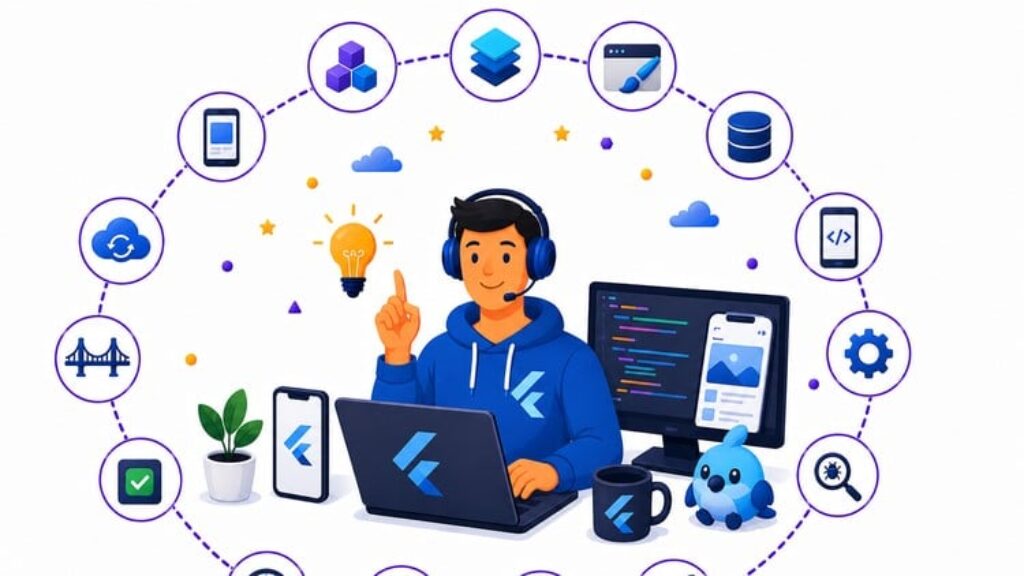
Detailed Exam Domain Coverage
This comprehensive practice test suite is structurally mapped to match the actual architectural and engineering standards evaluated during rigorous technical interviews for cross-platform engineers.
-
Flutter Fundamentals (15%): Deep dive into the widget tree lifecycle, constraints flow, behavior of Stateful and Stateless Widgets, BuildContext mechanics, InheritedWidget configuration, gesture tracking, and imperative versus declarative navigation systems.
-
Core Flutter APIs and Frameworks (20%): Production-level state management paradigms including the BLoC Pattern, Provider, Riverpod architecture, Flutter Hooks reactive hooks, reactive streams via StreamBuilder, and asynchronous FutureBuilder resource processing.
-
Flutter UI and UX Development (18%): Advanced layout construction using CustomPaint and the Canvas API, micro-optimizations for AnimationController, complex Hero transitions, ThemeData multi-theme engines, native adaptation across Material Design and Cupertino libraries, and typographic alignment.
-
Data Storage and Management in Flutter (12%): Local relational database access using SQFlite, high-performance key-value management with Hive NoSQL Database, lightweight key-value data with Shared Preferences, automated Json Serialization, high-throughput HTTP networking using Dio, and persistent bi-directional WebSockets connections.
-
Flutter Platform Channels and Native Integration (10%): Low-level communication via Platform Channels using binary messaging, binding custom Native Modules, managing host-specific files in Kotlin, Swift, or Objective-C, package modularization strategies, and deep configuration within CocoaPods and Gradle Integration.
-
Testing and Debugging Flutter Applications (8%): Asserting application behavior through unit tests, programmatic UI exploration using TestWidgets for widget testing, complete multi-platform integration testing, profiling layout trees via the Flutter Inspector, and centralized enterprise error reporting.
-
Flutter Deployment and Optimization (10%): Production compilation strategies including code obfuscation, dead-code removal using tree shaking, size reduction through App Bundles and ABI splits, App Store and Play Store asset compilation, remote telemetry, and performance tracking tools.
-
Advanced Flutter Topics and Best Practices (7%): Multi-platform engineering targeting Flutter Web and Desktop, deploying on-device AI workflows, strict accessibility features, cryptography and secure storage best practices, and systematic design patterns for scale.
About the Course
Succeeding in a modern Flutter engineering interview requires far more than knowing how to stitch pre-built widgets together. High-value cross-platform teams look for deep structural mastery, clean state management design, fluid performance profiling, and seamless native subsystem integration. I built this comprehensive question repository to closely simulate the actual scenarios senior technical leads and architects will use to evaluate you.
Featuring 550 meticulously drafted, original questions, this resource bypasses simple surface-level lookup facts. I break down real-world Dart code snippets, common architectural anti-patterns, runtime thread blockages, widget lifecycle pitfalls, and performance issues. Every individual problem features a thorough technical breakdown that explains why the optimal solution functions efficiently and why alternative technical choices degrade runtime stability or fail production checks. Whether you want to land a dedicated Flutter Developer role, transition into senior mobile app engineering positions, or pass a high-stakes internal technical check, this practice track ensures you develop the system-level intuition needed to clear your technical assessments confidently on your very first attempt.
Sample Practice Questions Preview
Review these three sample questions to see the exact depth and structural layout of the analytical explanations provided within this course.
Question 1: BuildContext Resolution and InheritedWidget Ancestor Lookups
A developer attempts to access a custom state provider derived from InheritedWidget inside a deeply nested child widget using the call context.dependOnInheritedWidgetOfExactType<MyStateProvider>(). The application throws a runtime null pointer exception during the lookup. Assuming the provider is declared at the root level of the current page, which structural reality explains this behavior?
-
A) The specific BuildContext used to trigger the lookup belongs to a widget instance declared structurally above the provider inside the widget tree.
-
B) The MyStateProvider class was implemented as a generic class, which prevents the reflection engine from reading its exact runtime type signature.
-
C) The underlying InheritedWidget failed to invoke updateShouldNotify when the child initialized its internal state variables.
-
D) The framework automatically disposes of active layout lookups if the parent widget tree undergoes structural tree shaking during the build phase.
-
E) The child widget triggering the context lookup is configured as a StatelessWidget which lacks native support for standard ancestor tree lookups.
-
F) The reference type inside the diamond operator specifies the explicit state wrapper class instead of the abstract widget base definition class.
Correct Answer & Explanation:
-
Correct Answer: A
-
Why it is correct: In Flutter, BuildContext represents the exact coordinate or element handle of a widget within the global element tree. The lookup method dependOnInheritedWidgetOfExactType searches strictly upwards through parent nodes. If the context instance passed into the lookup belongs to a parent structure positioned above the provider instantiation point (like calling it inside the same build method where the provider is declared), the framework cannot find the matching node among its ancestors, returning null.
-
Why alternative options are incorrect:
-
Option B is incorrect: Dart’s type system retains structural type definitions cleanly at runtime, so generic parameters do not break type validation or throw null pointers.
-
Option C is incorrect: The updateShouldNotify rule only controls whether dependent child nodes must rebuild during subsequent state modifications; it does not block the initial node resolution.
-
Option D is incorrect: Tree shaking is a production compilation phase that removes unused dead code; it does not dynamically destroy active nodes during a live widget build pipeline.
-
Option E is incorrect: Both StatelessWidget and StatefulWidget instances obtain a valid element tree reference through their BuildContext, allowing them to execute identical tree traversals.
-
Option F is incorrect: The type parameter must match the exact class structure of the target InheritedWidget being searched; utilizing the specialized wrapper is standard practice.
-
Question 2: Thread Scheduling and Asynchronous Microtask Priority in Dart Loops
Consider a Flutter button interaction that triggers the code block below. The application needs to perform a state transition cleanly without lagging the main UI rendering thread.
Dart
Future(() => print(‘Task A’));
scheduleMicrotask(() => print(‘Task B’));
Future.microtask(() => print(‘Task C’));
print(‘Task D’);
In what exact sequence will these log events print to the execution console?
-
A) Task A, Task B, Task C, Task D
-
B) Task D, Task B, Task C, Task A
-
C) Task D, Task A, Task B, Task C
-
D) Task B, Task C, Task D, Task A
-
E) Task D, Task C, Task A, Task B
-
F) Task A, Task D, Task B, Task C
Correct Answer & Explanation:
-
Correct Answer: B
-
Why it is correct: Dart operates on a single-threaded event loop architecture managed by two distinct internal queues: the Event Queue (handling external triggers like I/O, timers, UI painting, and standard Future constructors) and the Microtask Queue (handling high-priority internal tasks that must run immediately after the current synchronous block completes). Synchronous code always executes first, printing Task D. Next, the loop drains the Microtask Queue completely before picking up standard events, resulting in Task B and Task C executing in their insertion order. Finally, the main loop picks up the standard event queue item, printing Task A.
-
Why alternative options are incorrect:
-
Option A is incorrect: This assumes basic top-to-bottom execution flow, ignoring the fact that futures and microtasks schedule asynchronous hooks rather than running blocking inline instructions.
-
Option C is incorrect: This misplaces the execution order by evaluating the standard event queue item before processing the pending high-priority microtask queue elements.
-
Option D is incorrect: This ignores the rule that the main execution block runs synchronously to completion before any queued asynchronous tasks are evaluated.
-
Option E is incorrect: This scrambles the internal sequence layout of the microtask queue, which follows strict first-in, first-out ordering rules.
-
Option F is incorrect: This places the standard asynchronous event at the absolute front of the thread sequence while delaying the synchronous execution block.
-
Question 3: Platform Channel Memory Mismatches and Binary Serialization Limits
A Flutter application communicates with an Android foreground service using a standard MethodChannel. When transferring large chunks of camera pixel data structured as raw byte arrays, the application experiences notable frame drops and occasional platform interface crashes. What is the technical cause of this performance drop?
-
A) The channel lacks an explicit JSON parser to transform the raw byte stream into structured text elements.
-
B) The binary messenger infrastructure forces all data transfers onto the host OS background system thread.
-
C) The default StandardMessageCodec performs continuous data serialization and copying across memory boundaries.
-
D) Android blocks all direct channel communication loops if the application is compiled using an ABI split.
-
E) Gradle automatically strip-optimizes binary assets unless the package includes explicit ProGuard rules.
-
F) The MethodChannel protocol requires a continuous active WebSocket handshake to process native data structures.
Correct Answer & Explanation:
-
Correct Answer: C
-
Why it is correct: Standard MethodChannel interactions carry out data serialization across memory boundaries, converting objects between Dart and native memory layouts via the default StandardMessageCodec. Passing massive data blobs (like raw image pixels) creates heavy garbage collection loads and memory copies on the UI thread, causing frames to drop. For large binary packages, using BasicMessageCodec combined with standard typed data classes or utilizing foreign function interfaces like dart:ffi provides zero-copy or high-efficiency data access.
-
Why alternative options are incorrect:
-
Option A is incorrect: Forcing raw binary data into a text-heavy format like JSON worsens performance due to string conversion overhead.
-
Option B is incorrect: Platform channel interactions execute by default on the main UI thread of the host application, which is precisely why heavy operations cause visible frame drops.
-
Option D is incorrect: ABI splitting separates compiled binaries based on CPU architectures; it does not block the core internal message bus channels.
-
Option E is incorrect: ProGuard strips unused class metadata to shrink code size; it does not intercept or restrict active runtime data buffers.
-
Option F is incorrect: Platform channels use low-level C-based binary messengers built directly into the engine runner; they do not utilize web network protocols.
-
What to Expect
-
Welcome to the Interview Questions Tests to help you prepare for your Flutter Interview Questions Assessment
-
You can retake the exams as many times as you want
-
This is a huge original question bank
-
You get support from instructors if you have questions
-
Each question has a detailed explanation
-
Mobile-compatible with the Udemy app
We hope that by now you’re convinced! And there are a lot more questions inside the course.