Advertisements

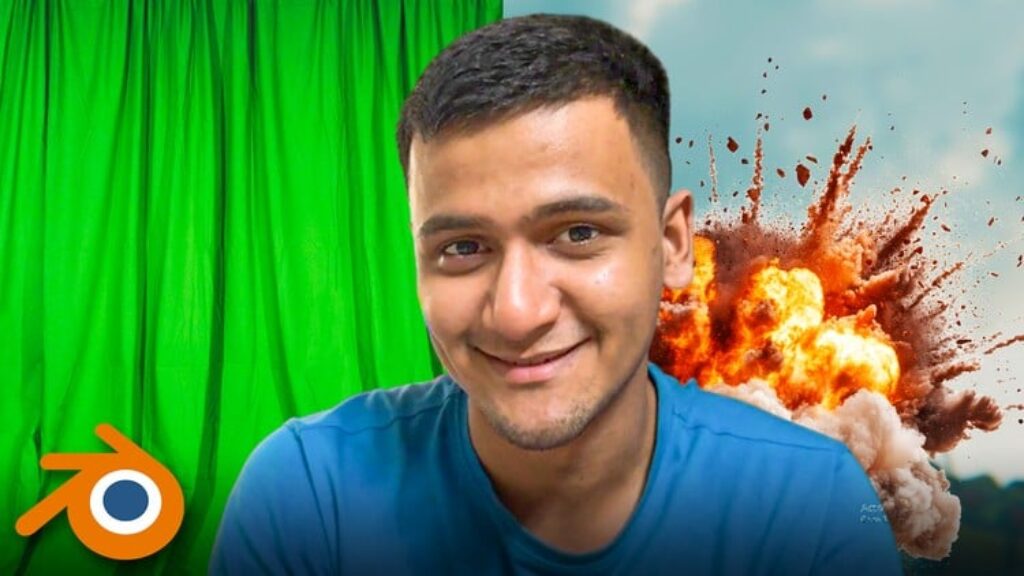
VFX Compositing in Blender: Camera Tracking & Green Screen

Advertisements
Master Blender camera tracking, green screen VFX, and 3D compositing — create shots that feel straight out of a Netflix.
4
4/5
(4) Ratings
1,709 students
Created by Udit Gala
Advertisements

What you'll learn

  • How to use Blender’s camera tracking tools to integrate 3D models into live-action footage seamlessly.
  • Techniques for removing green screen backgrounds and compositing them into professional-looking environments.
  • Step-by-step workflows to create cinematic scenes for films, YouTube content, and other projects.
  • Real-world VFX production skills, including lighting, rendering, and optimizing your workflow for professional results.
This course includes:
10 total hours on-demand video
3 articles
8 downloadable resources
102 lessons
Full lifetime access
Access on mobile and TV
Certificate of completion
Advertisements

Course content

Requirements

  • Basic familiarity with Blender is recommended but not mandatory—we’ll guide you step by step.
  • A computer capable of running Blender.
  • A passion for learning VFX and creating stunning visual effects!
  • For green screen projects, having green screen footage is helpful.

Description

Create Hollywood-Level VFX with Blender — Master Camera Tracking & Green Screen FX

If you want to make studio-level visual effects using just your camera and Blender — this is the course that shows you how.

No theory dumps. No soft skills. Just raw VFX compositing fire.

Inside this masterclass, you’ll learn how to:

  • Track your footage perfectly and integrate CGI into the real world

  • Key out green screens cleanly and place your actor into epic 3D environments

  • Create Netflix-style shots without a team or studio

What You’ll Learn:

  • Camera Tracking in Blender – Lock any 3D object into real footage with pro realism

  • Green Screen Compositing – Clean keys, depth, and perfect environment matching

  • Blender VFX Workflows – Animate, composite, and integrate with cinematic polish

  • Scene Lighting & Matchmoving – Make everything feel part of the same world

Tools You’ll Use:

  • Blender (FREE)

  • Free add-ons for keying and tracking

  • Real-world project-based workflows

Who This Course is For:

  • VFX beginners who want to jump straight into production-style shots

  • Filmmakers and creators tired of flat edits and average tutorials

  • YouTubers looking to add green screen + 3D magic to their content

  • Anyone who wants to break into VFX compositing fast — and loud

This isn’t just about learning Blender. It’s about getting results that make people ask:

“Wait… you made that alone?”

Once you understand how to blend real footage and CGI like a pro, your content will never look the same again.

Let’s create movie-level shots — without Hollywood.
Enroll now and level up your VFX game.

Who this course is for:

  • Students interested in visual effects for movies, personal projects, or creative content.
  • Aspiring VFX artists who want to build essential skills for industry-standard workflows.
  • Blender enthusiasts who want to take their skills into the world of professional VFX composition.
  • Beginners and intermediate users who want to learn camera tracking and green screen VFX using Blender.
Advertisements
A4A5DAF5C2E5E1F63402
Advertisements
Advertisements
Free Online Courses with Certificates
Logo
Register New Account