This course contains the use of artificial intelligence
**LIVE COURSE – CONTINUOUSLY UPDATED**
This course is updated as Microsoft ships new Copilot Studio capabilities, so you are always learning on the latest version of the platform.
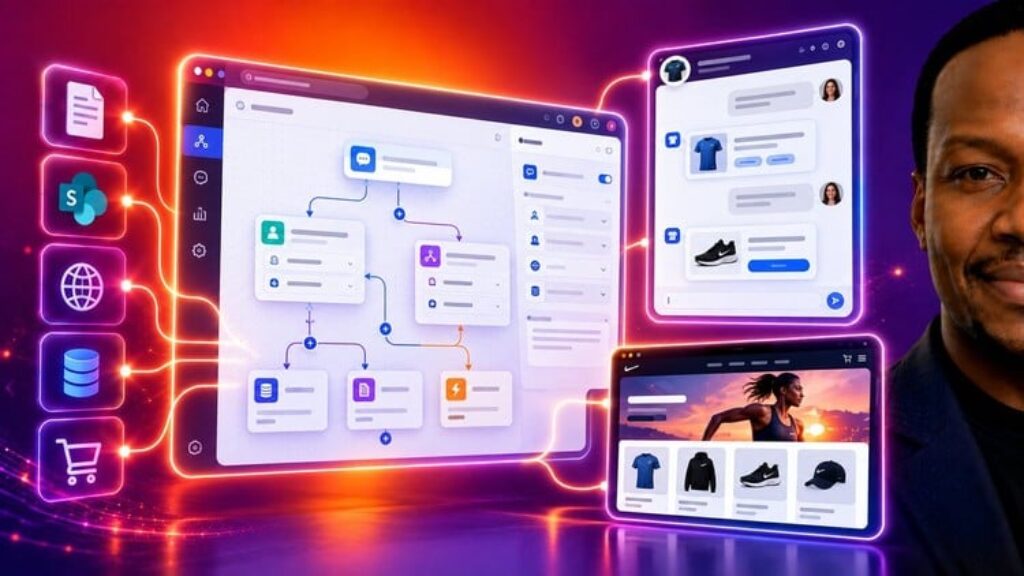
Microsoft Copilot Studio: The Complete Guide is the outcome-first course for professionals who want to build real AI agents with No Coding Required. You will not just click through settings screens. Every section ends with a working agent built for Pashun Sports T-Shirts, the real business used in every demo. You start by creating your first agent, then build the Pashun Sports Customer Service Agent. You finish by building the Pashun Sports Project Risk Report Agent and an Inbox Sort and Respond workflow, then publishing and governing your agents. If you have been told to “do something with Copilot” and want a clear, practical path from zero to a deployed agent, this course is for you.
You will learn every part of Microsoft Copilot Studio that matters in practice, with a hands-on Copilot Studio tutorial approach to building AI agents with no code. You will learn how licensing and Copilot Credits work, so cost never surprises you, and how to choose the right build method using the Standard, GitHub Copilot and Copilot Chat harnesses. You will write effective agent instructions and test them in the built-in test panel. You will ground your AI agents in knowledge sources: your own documents, SharePoint, OneDrive and websites, and connect email, calendar and Microsoft 365 context using Work IQ. You will design conversations with topics, trigger phrases, entities, variables, branching logic and the prompt node. You will use agent flows, built on the Microsoft Power Platform, to log requests and post updates to Microsoft Teams, and recover from mistakes with redirects, fallback topics and escalation. You will then move into Agentic AI. You will build the Project Risk Report Agent and an Inbox Sort and Respond workflow, build goal-driven agents with persistent memory, and automate predictable processes with Workflows. You will connect agents to external tools using MCP and extend Microsoft 365 Copilot. Finally, you will automate websites and desktop applications with Computer Use and explore voice agents.
Most Copilot Studio courses stop at the build. This one takes you all the way to real-world deployment. You will publish AI agents to Microsoft Teams, mobile and other channels, secure them with identity and permissions, govern them, control costs and apply responsible AI principles. This is the part that gets agents approved and used inside real organisations. Formerly known as Power Virtual Agents, Microsoft Copilot Studio is now the no-code platform for building AI agents, and this course is built for Project Managers, Scrum Masters, Agile Coaches, Operations Managers, business analysts, assistants and founders who want to automate the work that slows their teams down, without waiting for an engineering team. You will leave with working no-code AI agents and agent flows in your portfolio. You will also have the confidence to design, build and deploy AI agents with Microsoft Copilot Studio for any business process in your own organisation.