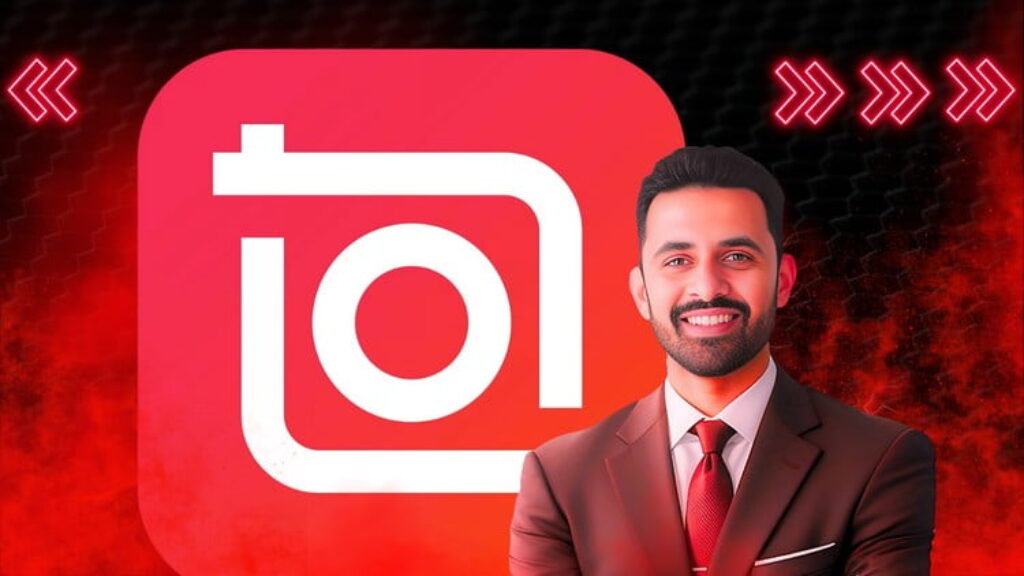
Master InShot from scratch in 2025 – in Hindi!
Learn mobile video editing step-by-step with the full power of the InShot app – from basic cuts and transitions to color correction, keyframe animation, trending effects, and more – in a fully beginner-friendly course made just for you
Want to create scroll-stopping Reels, Shorts, or YouTube videos – using only your phone?
You’re in the right place – and in the right language!
NEWLY UPDATED FOR 2025 (Now in Hindi):
• Beginner-focused walkthrough of InShot’s latest mobile interface
• Practical training on cutting, trimming, and splitting videos
• Full-featured lessons on transitions, text, music, animations & effects
• Advanced mobile editing: color correction, PIP, masking, keyframing & more
• Real-world video projects to help you create professional mobile content
Why Learn InShot With This Course?
This isn’t just theory – you’ll see how to edit real videos using real tools, right on your phone:
• Explained in simple Hindi, ideal for complete beginners
• Learn everything step-by-step on your mobile – no extra gear needed
• Focused on real, practical video creation skills
• Designed for creators, influencers, freelancers & small business owners
Course Impact by the Numbers:
• 1.5+ Hours of Hands-On Training in Hindi
• Covers 20+ Practical Editing Features
• Beginner to Advanced Topics in One Course
• Lifetime Access with All Future Updates
Who Is This Course For?
Whether you’re a content creator, student, vlogger, freelancer, or someone just starting out – this course will teach you how to create professional videos using only your phone. No prior editing experience required!
What Sets This Course Apart?
Learn the Full InShot Workflow
Start with the basics of the InShot interface, then move on to inserting media, trimming clips, and adding essential edits like transitions and stickers.
Creative & Professional Tools Covered
You’ll master how to:
-
Trim, split, rotate, reverse, and flip videos
-
Add transitions, effects, music & voiceovers
-
Customize text, backgrounds, and overlays
-
Crop and replace video content
-
Control speed, freeze frames, and add animations
Advanced Editing Made Simple
Learn professional techniques including:
-
PIP (Picture-in-Picture)
-
Color correction & background removal
-
Keyframe animation
-
Masking & blending modes
-
Creating trendy mobile video effects
End-to-End Video Creation
Wrap up your learning by exporting your final edited video in high quality – ready for Instagram, YouTube, or your next big content project.
What You’ll Achieve:
By the end of this course, you’ll be able to:
– Edit stunning videos entirely on your mobile
– Add music, text, voice effects, and transitions with ease
– Apply color correction and custom animations
– Use blending, masking, and keyframes like a pro
– Export polished, platform-ready videos in minutes
Your Learning Journey Includes:
InShot Basics
-
Interface overview
-
Importing and organizing media
-
Trimming, cutting, rotating, and flipping videos
Creative Editing Tools
-
Using transitions and effects
-
Adding stickers, text, and custom backgrounds
-
Adjusting speed and freezing frames
-
Adding and editing voiceovers
Pro-Level Features
-
Color correction and visual enhancement
-
PIP (Picture-in-Picture) layering
-
Background removal and masking
-
Keyframe animation and blending techniques
-
Creating trending mobile effects
Final Touches & Exporting
-
Review and polish your video
-
Export your work in high resolution for social platforms
Extras:
• Full course in Hindi – explained clearly and simply
• Learn on your mobile – no PC or desktop required
• Lifetime updates as InShot adds new features
• Perfect for Instagram Reels, YouTube Shorts, vlogs, and client work
Time-Saving Benefits:
• No complicated software – everything’s done in-app
• Stop overpaying for editors or wasting time on tutorials
• Learn fast, create faster – start editing like a pro today
Still thinking about it?
InShot is one of the most powerful mobile editing apps – and it’s only getting better. With short-form content booming, now’s the time to master video editing right from your phone.
Ready to become a mobile video editing pro in 2025?
Click Enroll Now and let’s start creating amazing content – step by step, in Hindi!





![[ES] IA Full-Stack con Ollama: Llama, Deepseek, Mistral, QwQ](https://courses.impodays.com/wp-content/uploads/2025/05/6605609_456b_2-100x56.jpg)

![[FR] IA Full-Stack avec Ollama : Llama, Deepseek, Mistral](https://courses.impodays.com/wp-content/uploads/2025/05/6605637_60b2-100x56.jpg)
![[TR] Ollama ile Yapay Zeka: Llama, Deepseek, Mistral, QwQ](https://courses.impodays.com/wp-content/uploads/2025/11/6605681_69f6-100x56.jpg)
![[NL] Full-Stack AI met Ollama: Llama, Deepseek, Mistral, QwQ](https://courses.impodays.com/wp-content/uploads/2025/05/6605733_721d-100x56.jpg)
![[ES] Ciberseguridad 101: Fundamentos para Principiantes](https://courses.impodays.com/wp-content/uploads/2025/05/6613559_62db-100x56.jpg)