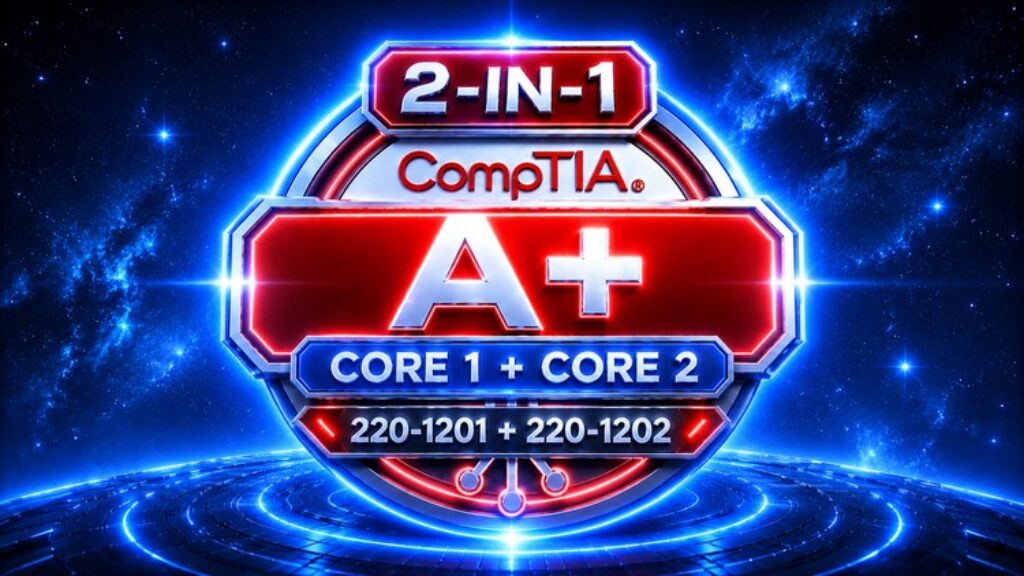
Passing the CompTIA A+ Core 1 and Core 2 exams requires more than memorizing hardware specifications, networking terms, operating system commands, or security definitions. You need to understand how modern IT systems work, recognize technical problems, evaluate different solutions, and make the right decision when faced with realistic support and troubleshooting scenarios. This course gives you 1,500 practice questions specifically designed to help you build that knowledge and prepare for both CompTIA A+ Core 1 (220-1201) and Core 2 (220-1202).
The CompTIA A+ certification validates the foundational technical skills required for modern IT support and technical operations. It covers a broad range of technologies and responsibilities, from computer hardware and networking to mobile devices, operating systems, security, virtualization, cloud computing, software troubleshooting, and professional operational procedures. A strong understanding of these areas provides the foundation for supporting users, maintaining systems, diagnosing problems, and working effectively in today’s IT environments.
This course is built around extensive active practice, technical analysis, realistic scenarios, and detailed explanations. Rather than relying on simple memorization, the questions encourage you to identify components, understand technical relationships, analyze symptoms, recognize configuration problems, evaluate possible solutions, and determine the most appropriate action for a particular situation.
Inside this course, you will complete 1,500 CompTIA A+ practice questions, organized into six focused sections of 250 questions each. Every question includes multiple answer choices, the correct answer, and a detailed explanation designed to reinforce the underlying technical concepts and explain why the selected answer is the most appropriate.
The course covers Mobile Devices & Networking, Hardware Components & Devices, Virtualization and Cloud Computing, Hardware and Network Troubleshooting, Operating Systems & Security, and Software Troubleshooting & Operational Procedures. Each section has a distinct technical focus, allowing you to work systematically through the major areas covered by the Core 1 and Core 2 exams.
In the first section, you will focus on Mobile Devices & Networking. You will explore mobile device components, mobile connectivity technologies, wireless technologies, cellular connectivity, network devices, network cables and connectors, networking concepts, IP addressing, ports and protocols, network services, SOHO networks, internet connectivity, and common networking technologies.
You will practice identifying appropriate mobile technologies, network components, connectivity methods, and network configurations while working through scenarios involving wired and wireless communication. The questions are designed to strengthen your understanding of how devices connect and communicate and how different networking technologies are applied in practical IT environments.
In the second section, you will focus on Hardware Components & Devices. You will examine CPUs, motherboards, RAM, storage technologies, power supplies, cooling systems, expansion cards, displays, input and output devices, cables, connectors, peripheral devices, and printers.
You will practice identifying hardware components, understanding their functions and characteristics, recognizing compatibility requirements, selecting appropriate components, and analyzing complete computer configurations. The questions help reinforce how individual components work together and how hardware decisions affect system performance, compatibility, reliability, and support.
In the third section, you will focus on Virtualization and Cloud Computing. You will explore virtualization concepts, virtual machines, hypervisors, virtual networking, cloud computing characteristics, cloud service models, cloud deployment models, cloud resources, and technologies used in modern virtualized and cloud environments.
The questions will require you to recognize different virtualization and cloud technologies, understand their characteristics, distinguish between implementation models, and determine which technology or approach is appropriate for specific requirements. This section connects traditional infrastructure knowledge with the modern computing environments used by organizations today.
In the fourth section, you will focus on Hardware and Network Troubleshooting. You will explore troubleshooting methodologies for power problems, hardware failures, motherboard and CPU issues, memory problems, storage failures, display problems, peripheral issues, printer problems, wired network failures, wireless connectivity issues, and network configuration problems.
Realistic scenarios will challenge you to identify symptoms, determine likely causes, select appropriate diagnostic procedures, and choose the most effective solution. You will develop a structured troubleshooting approach that helps you move from identifying a symptom to isolating the underlying problem and selecting an appropriate resolution.
In the fifth section, you will focus on Operating Systems & Security. You will examine Windows operating systems, Linux, macOS, mobile operating systems, operating system installation and configuration, system utilities, command-line tools, file systems, permissions, malware, authentication, access controls, security technologies, endpoint protection, and common security threats.
You will practice analyzing operating system configurations, identifying system problems, recognizing security risks, understanding access controls, and selecting appropriate security measures. The questions are designed to strengthen your ability to support operating systems while maintaining secure and properly configured computing environments.
In the sixth section, you will focus on Software Troubleshooting & Operational Procedures. You will explore operating system problems, application failures, browser issues, mobile software problems, malware-related symptoms, software configuration issues, documentation, change management, backup and recovery procedures, safety practices, environmental considerations, professional communication, privacy, and operational procedures.
The scenarios will require you to diagnose software problems, select appropriate troubleshooting actions, document technical work accurately, follow established procedures, protect sensitive information, and communicate effectively with users. This section connects technical troubleshooting knowledge with the professional practices required in real-world IT support environments.
The course is structured to provide a progressive preparation path from fundamental hardware and networking technologies through virtualization, cloud computing, troubleshooting, operating systems, security, software support, and operational procedures. Each section has a distinct technical purpose, making it easier to identify strong areas, recognize knowledge gaps, and focus additional study where it is most needed.
The 1,500 practice questions are designed to expose you to a broad range of realistic IT situations rather than relying only on repetitive definition-based exercises. You will encounter scenarios involving hardware components, mobile devices, network technologies, cloud environments, virtualization, operating systems, security issues, hardware failures, network problems, software issues, and professional IT procedures.
To maximize your preparation, you can retake all sections as many times as needed. This allows you to revisit challenging questions, review detailed explanations, identify recurring knowledge gaps, reinforce important concepts, and progressively improve your performance.
The questions are designed to encourage you to think like an IT professional rather than simply memorize terminology. You will repeatedly evaluate the situation, identify the underlying technical problem, consider the available options, determine the relevant technology or procedure, and select the solution that best satisfies the requirements.
Whether your goal is to earn the CompTIA A+ certification, begin a career in IT support, validate your existing technical knowledge, strengthen your troubleshooting skills, or establish a foundation for more advanced IT certifications, this course provides comprehensive practice across the major technical areas covered by Core 1 and Core 2.
By completing all 1,500 practice questions and carefully reviewing the explanations, you will strengthen your understanding of hardware, networking, mobile devices, virtualization, cloud computing, operating systems, security, troubleshooting, software, and operational procedures.
The goal is not simply to help you recognize the correct answer on the CompTIA A+ exams. It is to help you develop the technical reasoning and troubleshooting mindset required to analyze unfamiliar situations, recognize potential problems, evaluate competing solutions, understand the consequences of technical decisions, and apply appropriate technologies and procedures in real-world IT environments.
With 1,500 questions across six focused technical areas, this course gives you a structured way to measure your knowledge, strengthen weak areas, improve technical reasoning, reinforce important concepts, and build exam confidence. By combining broad coverage with realistic practice and detailed explanations, you can approach the CompTIA A+ Core 1 and Core 2 certification exams with a stronger, deeper, and more practical understanding of modern IT support.











![400+ Data Structure Interview Questions Practice Test [2026]](https://courses.impodays.com/wp-content/uploads/2026/08/5717184_24bd_3-100x56.jpg)