Advertisements

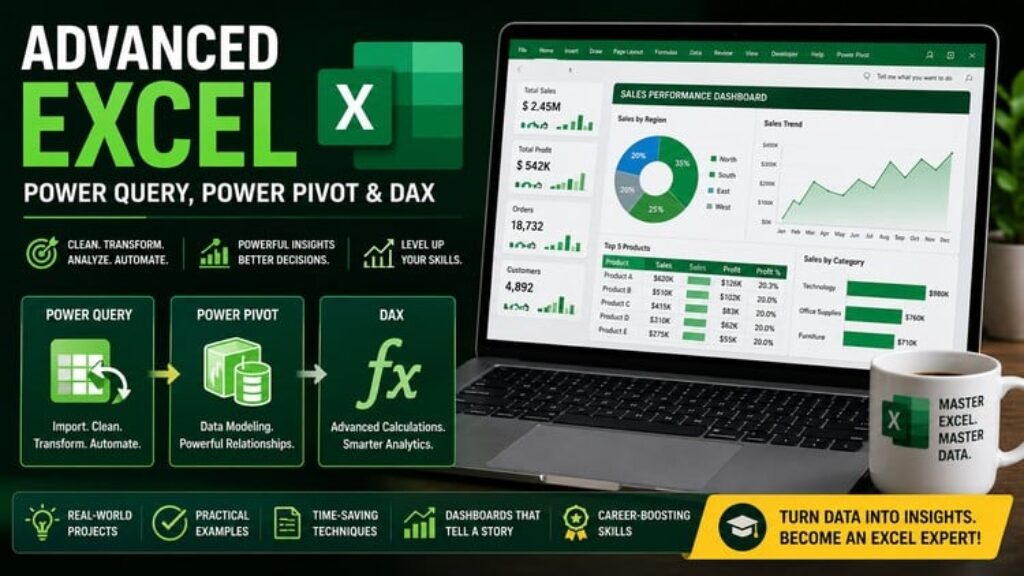
Advanced Excel: Power Query, Power Pivot & DAX

Advertisements
Automate data cleaning, build relational data models, and analyze millions of rows using Excel's hidden BI tools.
1
1/5
(44) Ratings
85 students
Created by Himanshu Kaushik
Advertisements

What you'll learn

  • Automate tedious data extraction and cleaning workflows using Power Query, eliminating manual updates.
  • Build robust relational data models using Power Pivot to seamlessly connect multiple data tables.
  • Write powerful DAX formulas to calculate advanced business intelligence metrics and KPIs.
  • Analyze massive datasets (millions of rows) without slowing down or crashing your Excel workbooks.
This course includes:
100 questions on-demand video
0 articles
0 downloadable resources
0 lessons
Full lifetime access
Access on mobile and TV
Certificate of completion
Advertisements

Course content

Requirements

  • Students should have a solid working knowledge of basic Excel, including how to write standard formulas (IF, VLOOKUP) and how to create standard PivotTables. You will need a Windows PC with Excel 2016, 2019, or Office 365 installed (Note: Power Pivot is not fully supported on Mac versions of Excel).

Description

Are you tired of Excel crashing when you load large datasets? Do you spend hours every week copying, pasting, and manually cleaning the same messy data reports? If you are still relying entirely on standard VLOOKUPs and basic PivotTables, you are only using 10% of Excel’s true power.

“Advanced Excel: Power Query, Power Pivot & DAX” is designed to turn you into an Excel power user. In this hands-on course, we dive into the “Power” stack—Excel’s built-in Business Intelligence engine that shares the exact same architecture as Microsoft Power BI.

First, we will master Power Query. You will learn how to connect to external databases, extract messy data, and build automated cleaning steps so you never have to manually format a report again.

Next, we move into Power Pivot. You will learn how to bypass Excel’s 1-million-row limit, load massive datasets straight into Excel’s memory, and build robust relational data models that connect multiple tables without using a single VLOOKUP.

Finally, we will unlock DAX (Data Analysis Expressions). You will learn how to write advanced formulas to calculate complex business metrics, time-intelligence functions, and dynamic KPIs. By the end of this course, you will be able to build fully automated, enterprise-grade dashboards right inside traditional Excel.

Basic info

  • Course locale: English (India) or your preferred locale

  • Course instructional level: Intermediate / Advanced

  • Course category: IT & Software

  • Course subcategory: Business Analytics & Intelligence

  • What is primarily taught in your course? (Topic): Microsoft Excel / Power Query

Who this course is for:

  • This course is perfect for Data Analysts, Finance Professionals, and Business Managers who are frustrated by Excel’s row limits and slow processing speeds. If you want to automate your daily reporting tasks and learn enterprise-level data modeling without having to learn a completely new software like Tableau or Power BI, this course is for you.
Advertisements
33EB9E0D1FC46F03749A
Advertisements
Advertisements
Free Online Courses with Certificates
Logo
Register New Account