Advertisements

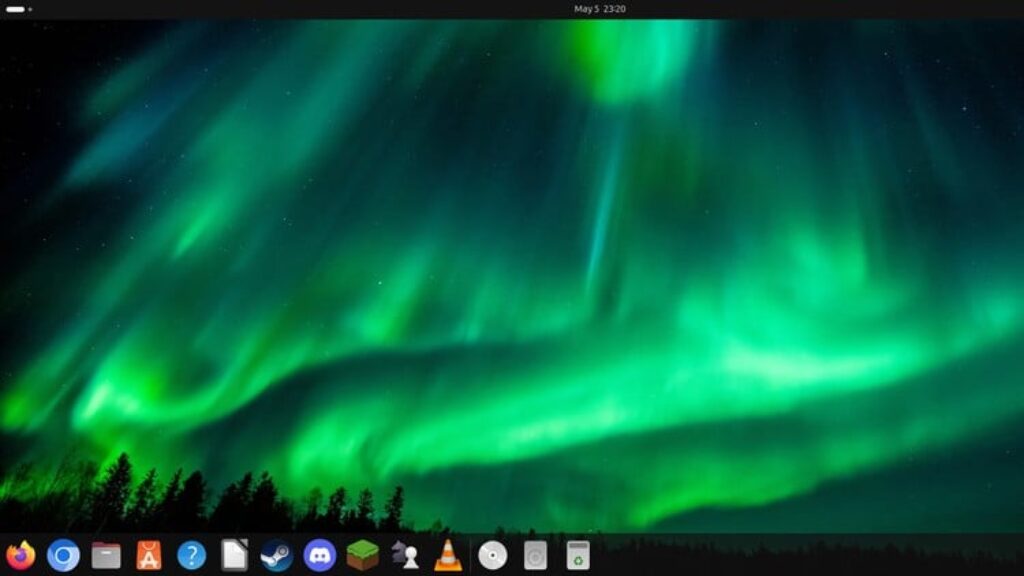
Ubuntu Desktop for Absolute Beginners

Advertisements
Your Complete Beginner’s Guide to Getting Started with Ubuntu Desktop! No Linux Experience Needed!
5
5/5
(1) Ratings
140 students
Created by Dan Mill
Advertisements

What you'll learn

  • Understand what Linux and Ubuntu Desktop are, and how they differ from other operating systems.
  • Identify the different versions and system requirements of Ubuntu Desktop.
  • Download, install, and set up Ubuntu Desktop.
  • Navigate and customize the Ubuntu Desktop environment, including the taskbar, search functions, and settings menu.
  • Understand Ubuntu’s file and disk structure, including key directories like /home.
  • Use Ubuntu Software Center and the Terminal to install, manage, and remove applications.
  • Explore key productivity applications.
  • Learn how to use communication and collaboration tools.
  • Use system monitoring tools and the Terminal for basic troubleshooting.
  • Manage system updates, backups, user accounts, and file permissions securely.
  • Gain confidence in using Ubuntu for daily tasks like browsing, media consumption, and office work.
  • Access help resources and engage with the Ubuntu community when encountering issues.
This course includes:
3 total hours on-demand video
1 articles
0 downloadable resources
39 lessons
Full lifetime access
Access on mobile and TV
Certificate of completion
Advertisements

Course content

Requirements

  • No prior Linux or Ubuntu experience is required – this course is designed for complete beginners.
  • A basic understanding of how to use a computer (e.g., using a mouse, keyboard, and navigating simple interfaces).
  • (Optional but recommended) Virtualization software like VMware Workstation Player or VirtualBox.

Description

Are you ready to explore the world of Linux but don’t know where to start? This course is your complete beginner’s guide to mastering Ubuntu Desktop, the world’s most popular Linux distribution for desktops and laptops. Whether you’re curious about Linux, making the switch from Windows or macOS, or looking to build essential IT and troubleshooting skills, this course is designed to help you succeed — no prior Linux experience needed.

In this step-by-step course, you’ll learn everything from downloading and installing Ubuntu Desktop, to navigating the interface, customizing settings, and installing everyday applications. We’ll explore both the graphical interface and command line tools, ensuring you’re comfortable with both approaches. You’ll get hands-on experience working with the file and disk structure, managing users and permissions, and using key apps like LibreOffice, Firefox, VLC, and software development tools.

We’ll also cover virtualization using VMware, understanding Ubuntu versions (LTS vs. non-LTS), and how to keep your system updated and secure. For those new to system administration, we introduce tools for troubleshooting, backups, system monitoring, and finding help through the powerful Ubuntu community.

Whether you’re a student, hobbyist, developer, or aspiring IT professional, this course gives you a rock-solid foundation in Ubuntu Desktop — empowering you to use Linux effectively for work, learning, and daily computing.

By the end of the course, you’ll not only feel confident using Ubuntu, but you’ll also have the knowledge to support, troubleshoot, and grow within the Linux ecosystem.


Who this course is for:

  • Absolute beginners who want to start using Ubuntu Desktop with no prior Linux experience.
  • Windows or macOS users curious about switching to or experimenting with Linux.
  • Students and educators looking for a free, open-source alternative operating system.
  • IT support and helpdesk beginners who want to get comfortable with Ubuntu for career advancement.
  • Developers and programmers who want to explore Ubuntu as a development environment.
  • Anyone interested in learning Linux in a user-friendly, step-by-step way using Ubuntu Desktop.
Advertisements
ACFD7444F335EC6605B9
Advertisements
Advertisements
Free Online Courses with Certificates
Logo
Register New Account